Error "A valid dongle could not be found or the drivers have not been installed correctly"
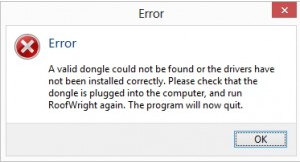
- First please ensure that the dongle is correctly plugged into the PC. Once this is confirmed please unplug then plug in the dongle, then try and launch the RoofWright/UDesign again.
- If the issue persists please confirm the dongle drivers are correctly installed by following the steps below.
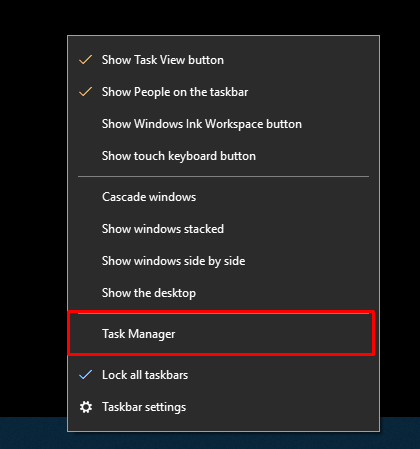
- Open task manager by right clicking on the bottom task bar and clicking "Task Manager".
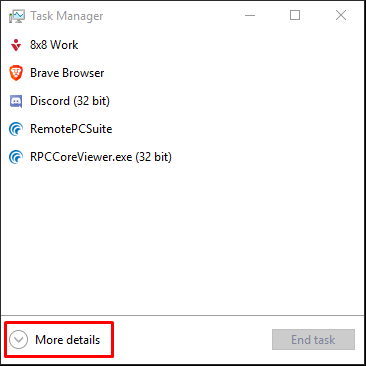
- Then click "More details".
- Click "Services" at the top and search the list for a service labelled "hasplms".
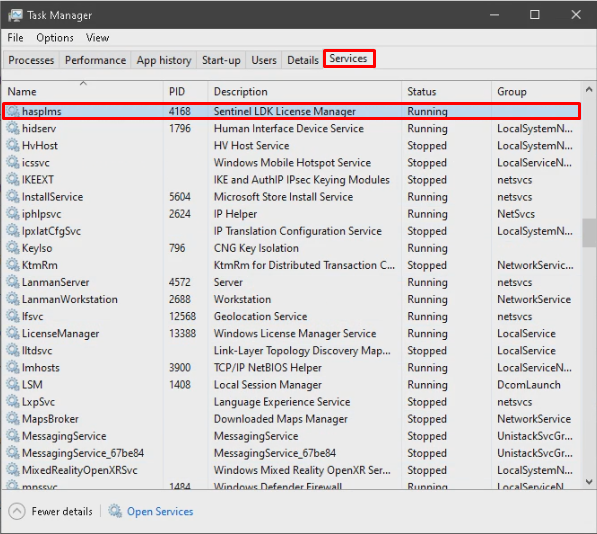
- If you cannot find "hasplms" in this list please go to the following link and install the dongle drivers. (Click here to download dongle drivers)
- If the service is listed as "Stopped" then right click on "hasplms" and select "Start". Now open up RoofWright/UDesign. This should have solved your issue.
- If the service was listed as "Running" please contact our support team for further support. (support@rpssoftware.co.uk)
If you get stuck in any part of this guide please contact our support team at (support@rpssoftware.co.uk).